
Download DVDAux – DVD backup, DVD conversion, video format conversion, ISO creation, media preservation, digital library
Overview
DVDAux is a utility application designed to help users preserve and manage their DVD collections through digital conversion and backup. Its primary purpose is to extract content from physical DVDs and convert it into a wide range of digital video formats, ensuring compatibility with modern devices and platforms. This makes it particularly valuable for individuals seeking to digitize legacy media and build a personal digital library. The app addresses the growing challenge of media obsolescence, where physical DVDs become difficult to play due to aging hardware and lack of support in newer devices.
Target users include home media collectors, digital archivists, and anyone with a significant DVD library looking to safeguard their content against physical degradation. While the developer, DVDAux, has not provided additional background on its origin or team, the app’s functionality suggests a focus on media preservation and accessibility. Real-world use cases include converting old family films, preserving movie collections for long-term storage, and preparing content for playback on smartphones, tablets, or streaming devices.
Within the utilities category, DVDAux fills a niche by offering a dedicated tool for DVD handling, a function often overlooked in broader media management software. Despite being released in 2013, the app remains relevant for users who prioritize reliable DVD extraction and conversion without relying on third-party tools or complex workflows.
Key Features & Functionality
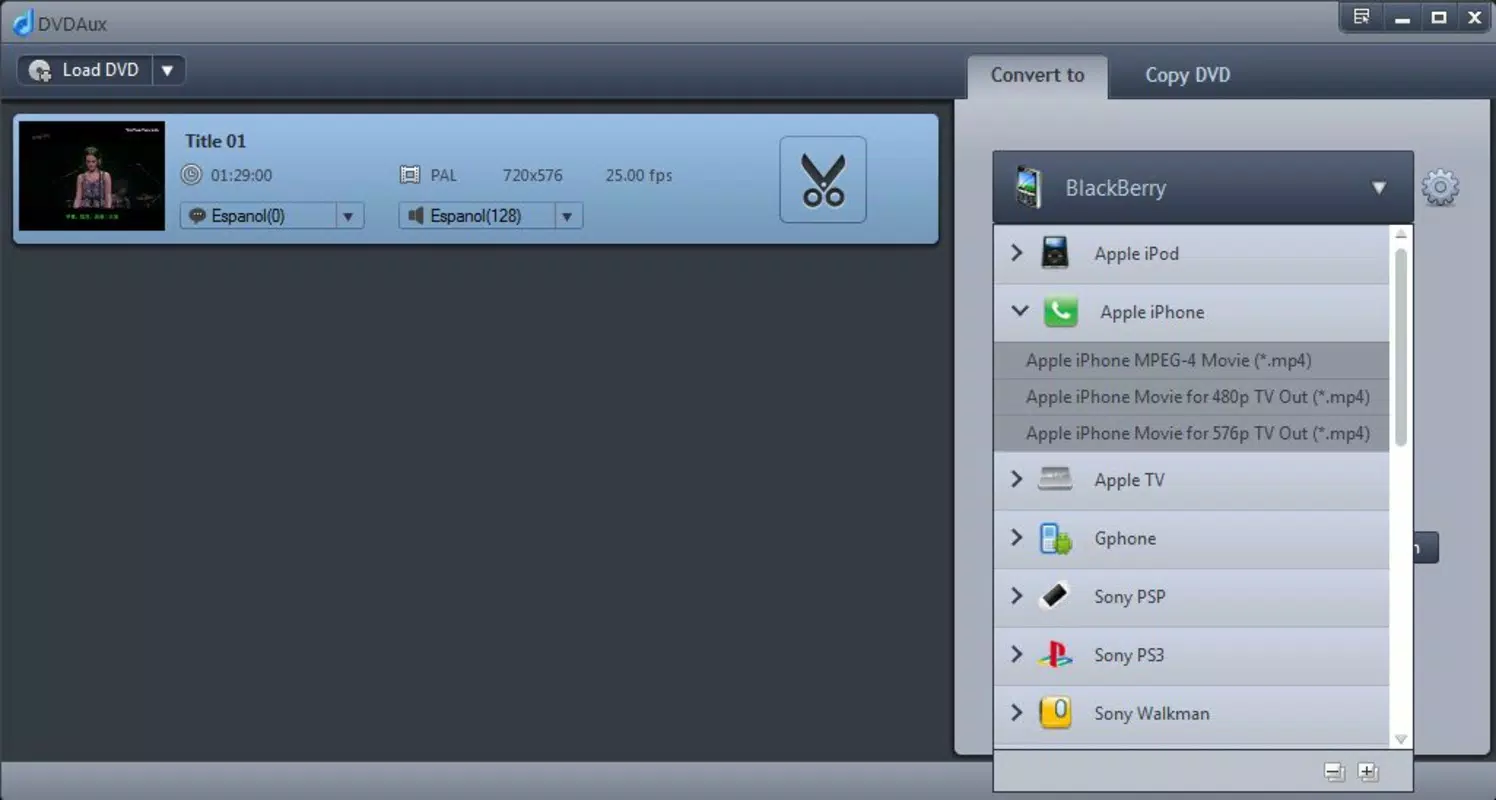
- Wide Format Support: DVDAux enables conversion to nearly every major video format, including MP4, AVI, MOV, MKV, FLV, WMV, MPEG, H.264, MPEG-4, Xvid, DivX, 3GP, M4V, WebM, OGG, VOB, TS, PS, M2TS, MTS, MXF, NUT, and more. This ensures compatibility with a broad spectrum of devices, from smartphones and tablets to gaming consoles like PS3 and Xbox.
- High-Quality Conversion: The software maintains high visual and audio fidelity during the conversion process, balancing speed and output quality. Users can enjoy movies and shows without noticeable degradation, making it ideal for preserving cinematic experiences.
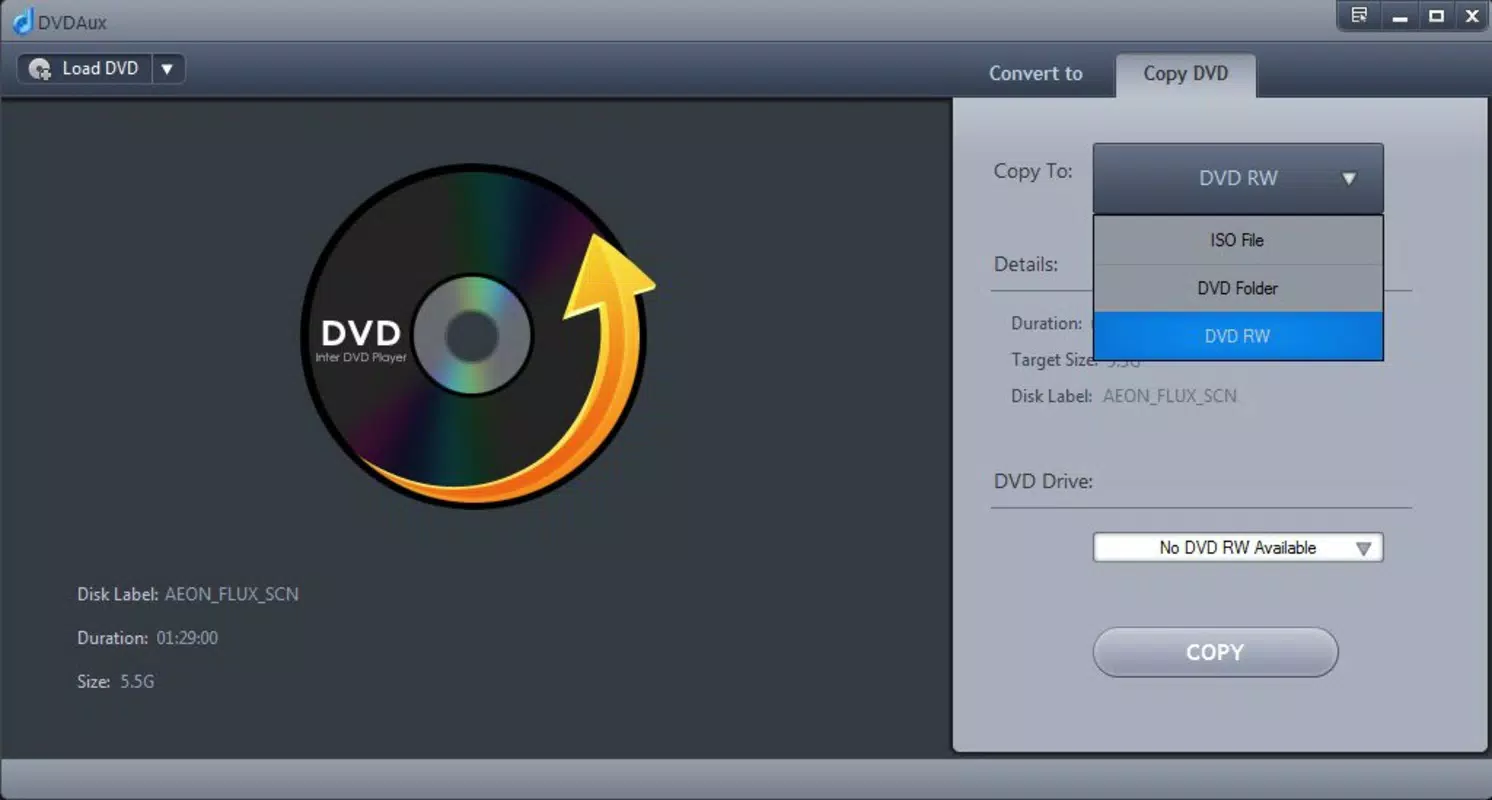
- ISO and DVD Backup: DVDAux allows users to create ISO image files and copy content to DVD-RW or DVD Folder formats. This feature supports both archival purposes and physical backup, helping users safeguard original discs from wear and damage.
- User-Friendly Interface: The interface is designed for ease of navigation, enabling users of all technical levels to extract and convert DVD content with minimal effort. Simple workflows reduce the learning curve and streamline the process.
- Multi-Device Compatibility: Converted files can be played on portable audio and video players, as well as smart TVs and media centers, offering flexibility in how and where content is accessed.
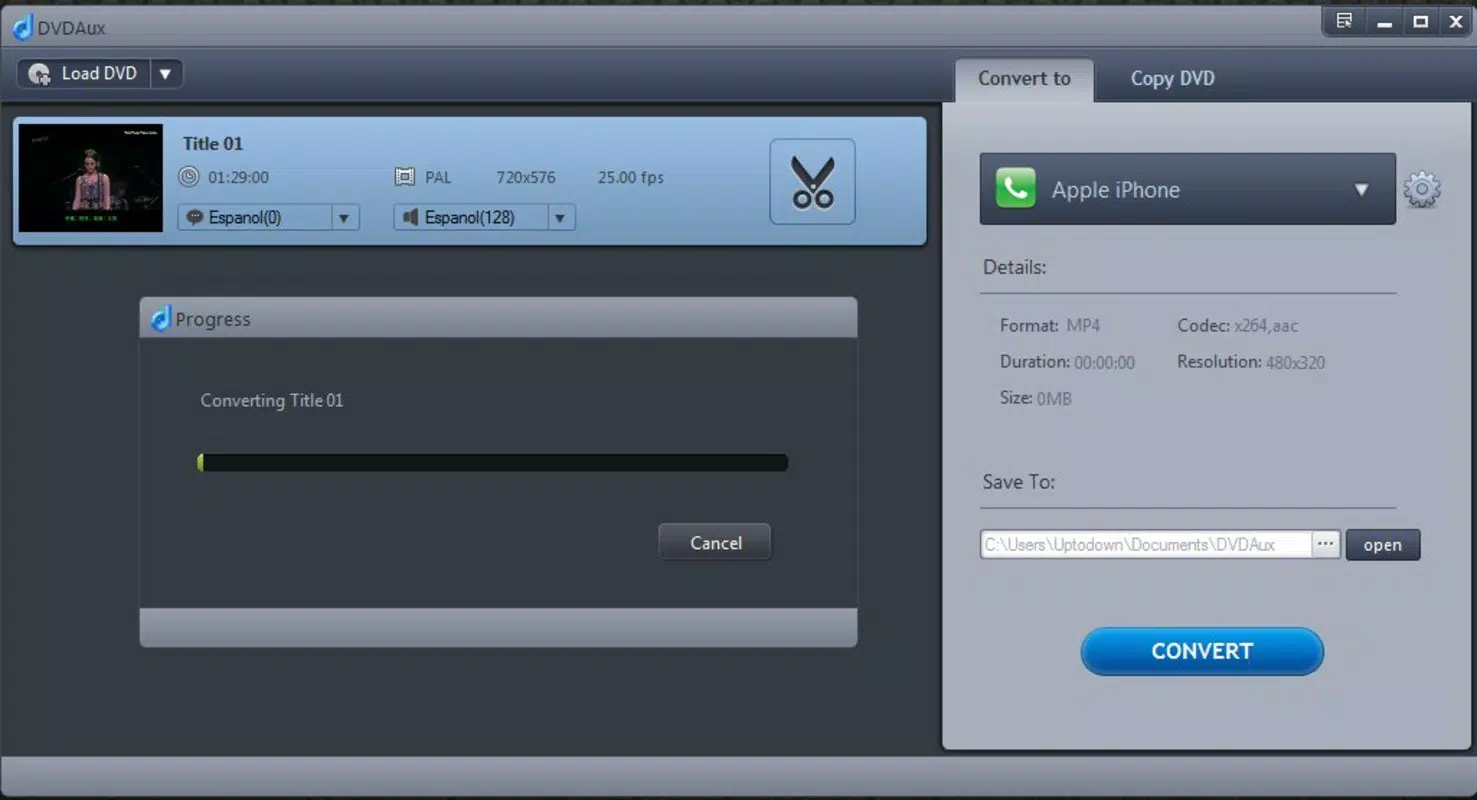
For example, a user can extract a movie from a DVD, convert it to MP4 for playback on an iPhone, and simultaneously create an ISO file for long-term storage. This multi-purpose functionality enhances the app’s utility for personal media management.
Interface, UX & Performance
DVDAux features a clean, straightforward interface optimized for DVD-related tasks. The layout prioritizes essential functions—disc loading, format selection, and conversion initiation—ensuring a logical flow for users. Visual elements are minimal, focusing on functionality over ornamentation, which contributes to a stable and distraction-free experience.
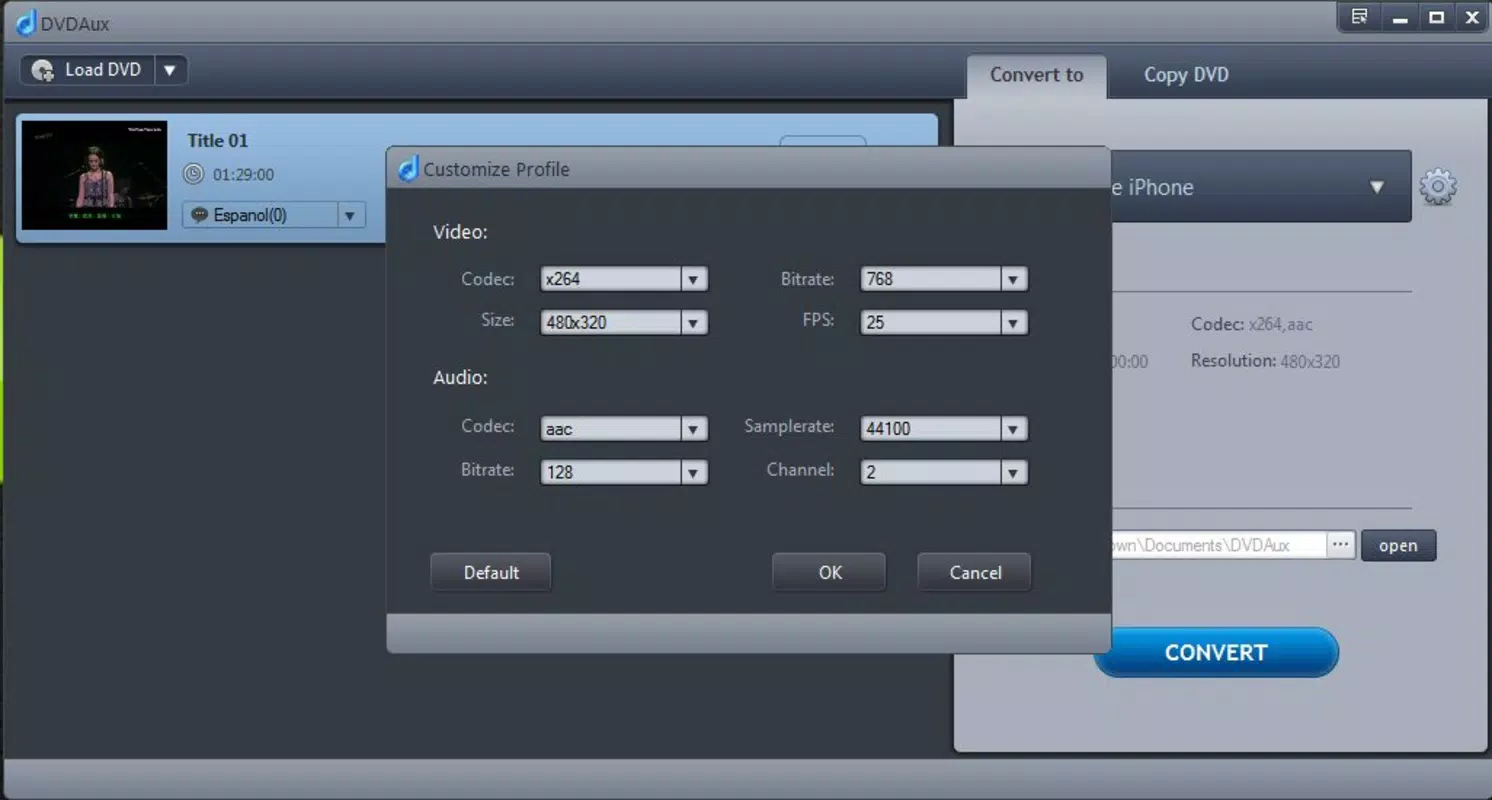
Navigating through the app is intuitive, with clearly labeled buttons and a step-by-step conversion wizard. The design appears consistent across different screen resolutions, though specific performance metrics were not disclosed. Although the developer did not list formal performance metrics, the app’s ability to handle multiple formats suggests efficient processing, particularly for standard-definition content.
Performance on various device categories remains consistent with its Windows platform focus. The app runs on systems meeting basic Windows requirements, though exact specifications were not provided. Responsiveness during conversion tasks appears stable, with no reported crashes or freezes in available documentation. However, users should expect standard processing times based on disc complexity and selected output quality.
Platform Compatibility & Technical Requirements
DVDAux is designed for the Windows operating system. The current version is 1.0, with a file size of 12.4 MB, indicating a lightweight installation. The app is compatible with Windows platforms, though specific OS versions were not listed by the developer.
The developer did not specify minimum OS requirements or hardware dependencies. Users should ensure their system supports DVD reading and has sufficient storage space for both the original disc and converted files. Compatibility with newer Windows versions, such as Windows 10 or 11, is likely but not confirmed. The app’s small size suggests low system resource consumption, which may benefit older or low-spec machines.
Pros and Cons
Pros
- Supports a wide range of video and audio formats for maximum compatibility.
- Maintains high-quality output during conversion processes.
- Offers ISO creation and DVD backup options for media preservation.
- Intuitive interface suitable for users of all experience levels.
- Lightweight installation with minimal system impact.
Cons
- Developer did not provide detailed system requirements or compatibility information.
- Version 1.0 has not been updated since 2013, raising concerns about long-term support.
- No cloud integration or automatic update functionality mentioned.
- Platform is limited to Windows; no iOS or Android availability.
- Price point of $29.95 may be considered high for a tool with no recent updates.
FAQ
Is DVDAux safe to download and use?
Yes, DVDAux is a legitimate utility application developed for Windows. It does not contain malware or unwanted behavior based on available information. Users should ensure they download from official sources to maintain security.
Can I use DVDAux to convert DVDs to formats for mobile devices?
Yes, the app supports conversion to formats compatible with smartphones and tablets, including MP4, 3GP, and M4V, which are widely used on mobile platforms.
Does DVDAux support DVD encryption (CSS)?
The app is designed to handle encrypted DVD content, though specific technical details on decryption methods were not provided by the developer.
Is there a free version or trial of DVDAux?
Based on the available information, DVDAux is a paid application with no publicly listed free trial or demo version.
Can I update DVDAux to a newer version?
The current version is 1.0, released in 2013. No updates have been published since then. Users should check official sources for any potential updates, though none are currently available.
Final Thoughts
DVDAux remains a reliable tool for users committed to preserving their DVD collections through digital conversion and backup. Its broad format support, high-quality output, and user-friendly interface make it a solid choice for those who need to extract and manage DVD content efficiently. While the lack of recent updates and limited platform availability are notable drawbacks, the app continues to serve its core purpose effectively.
It is best suited for Windows users with a legacy DVD library who value media preservation and device compatibility. Despite its age, the app delivers consistent performance for basic DVD conversion tasks. For those seeking a dedicated, no-frills solution, DVDAux offers a straightforward path to building a digital media archive.
Download DVDAux now


